
Allume, Glass, AI, and more
👋 Muse is now Allume. The app you know hasn't changed — same team, same data, same workflow. Only the name is new, and v4.0 brings some big updates alongside it.
- Read the Allume FAQ for the short version
- Nothing is required of you — your app updates automatically

Hello,
It may have seemed quiet around here lately, but my little duck feet have been paddling away underneath the water. I have some big updates coming for v4.0 — including a new name.
What's new in v4.0
The rename rides along with the biggest release in a while. Here's what's coming.
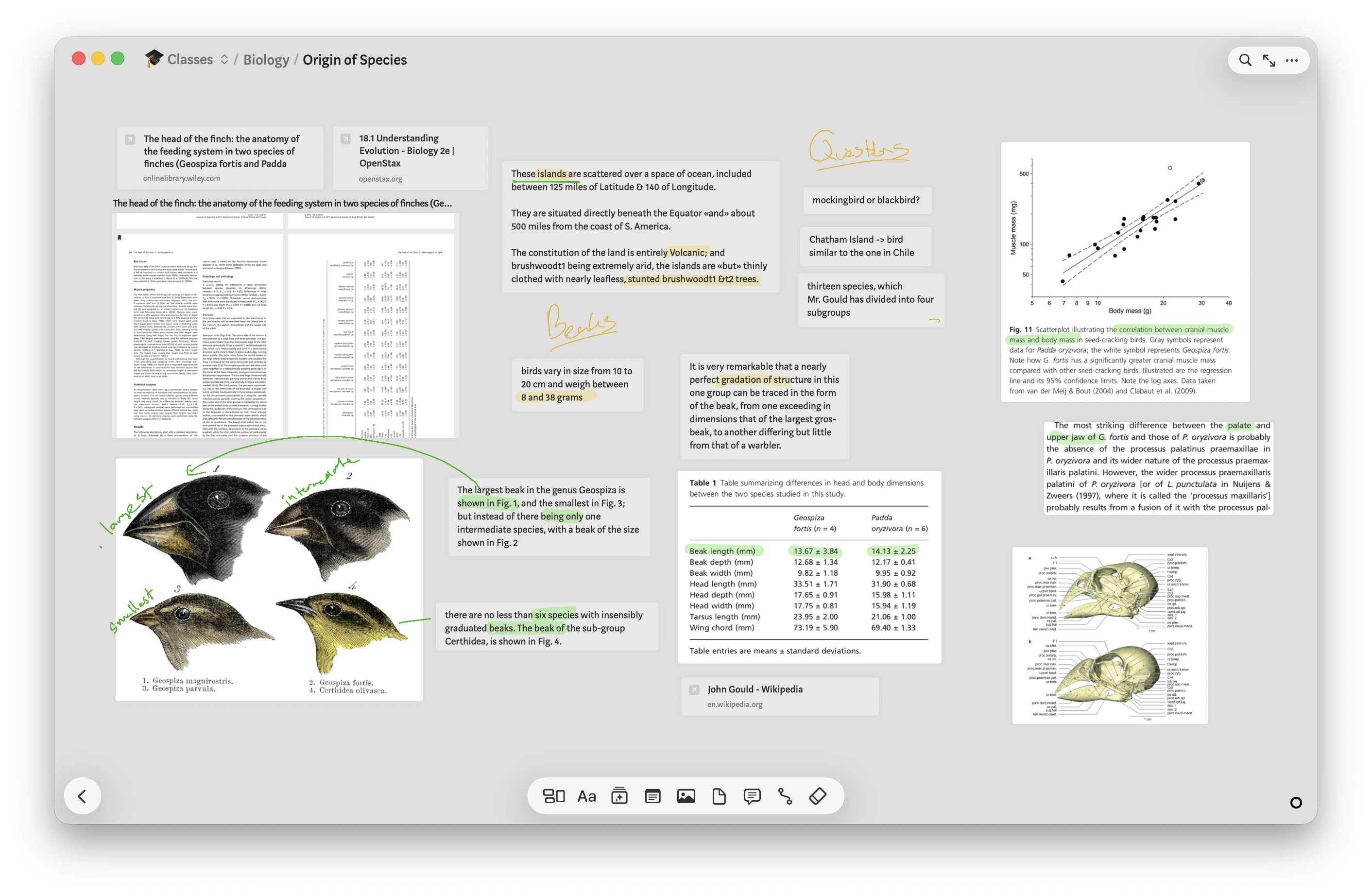
A major UI overhaul
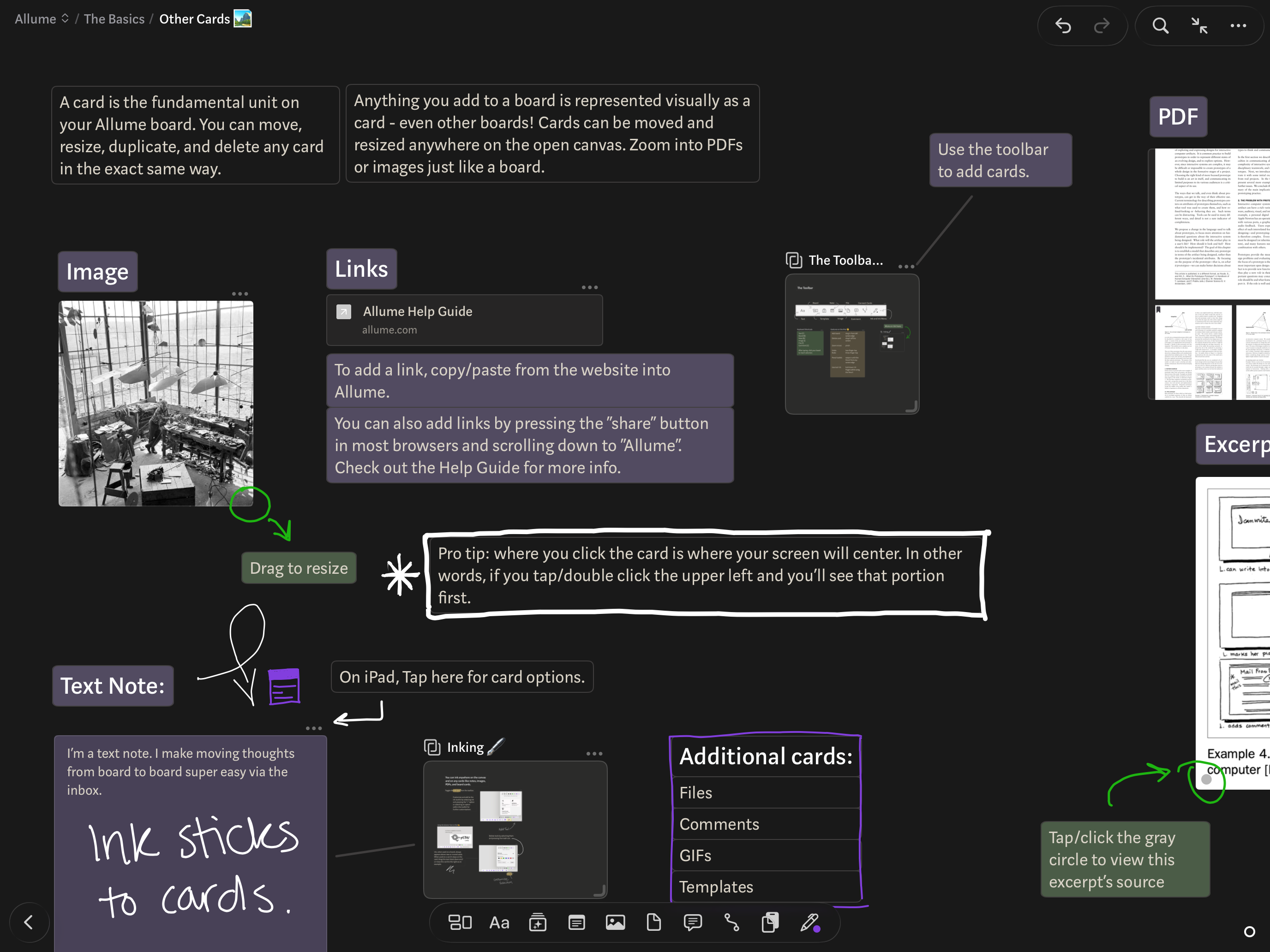
The next release brings a major interface overhaul, thanks in part to design work from Muse alum Lennart. The sidebar is gone, and the navigation and action bars share a new Liquid Glass look. The interface has been pulled back to give more room to your thoughts, and an updated tap-to-hide UI lets your mind's work fill the full window.
Command line app
A new command line app lets you search, export, and add content into Allume. It's perfect for scripting, automating backups, or integrating with other tools and platforms — a way to bring your thinking and notes into the rest of your workflow that wasn't possible before.
MCP connection for AI tools
That same command line app also provides an MCP connection for your AI tools. Connect Claude, ChatGPT, or even a local model with LM Studio, and use AI to browse, search, and organize your library.
Privacy and control are essential with AI, so this MCP connection has three modes: off, read-only, and read-write. By default, the MCP and CLI are both turned off, so that no other programs or bots on your computer can use them until you explicitly enable these new tools. This gives you control over what AI can and can't do when you connect it to Allume.
Searchable image content
Text inside of any of your imported images will now appear in search results, so all of your screenshot social media posts are now discoverable quickly and easily through search.
Privacy and control are essential with AI, so this MCP connection has three modes: off, read-only, and read-write. By default, the MCP and CLI are both turned off, so that no other programs or bots on your computer can use them until you explicitly enable these new tools. This gives you control over what AI can and can't do when you connect it to Allume.
Performance improvements
A major effort has been undertaken to improve the local database performance inside Allume. This effort brings some initial speedup, and paves the way for even larger improvements to come.
Card snapshot caches are also better utilized, freeing up disk space from your Allume library.
A new name: Allume
An unexpected opportunity came up regarding the Muse name and trademarks, and as a result the app you've known as Muse is becoming Allume.
The most important part first, because I know a name change can sound alarming: this only affects the name. Nothing about the company, the ownership, your account, your data, or your subscription is changing. Same canvas, same nested boards, same local-first sync, same team. If you do nothing at all, the app will update its name on its own — there's no new download, no migration, no action needed on your part. I'm as committed as ever to the app that so many of us rely on as our cozy thinking space.
It's pronounced "Ah-loom." For the full rundown — what's changing, what isn't, and why — see the Allume FAQ.
What's changing
- The name and the icon's wordmark — in the app, on the App Store, and across this website.
- The website address — we're moving to allume.com. The old museapp.com links will keep working and redirect for a good while, so nothing you've bookmarked or linked breaks.
- Our email — you can now reach us at hello@allume.com.
What's not changing
- Your account, data, and boards — completely untouched.
- Your subscription — same plan, same price, billed exactly as before. Apple and Setapp subscriptions continue uninterrupted.
- The company and ownership — still an independent shop, still run by me, still building for individual thinkers over teams.
Common questions
- Do I need to do anything? No. The name change happens automatically. No new download, no re-login, no migration.
- Does this affect my subscription or billing? No. Same plan, same price, same billing through Apple or Setapp.
- Will my old links and bookmarks still work? Yes. museapp.com redirects to allume.com, so existing links keep working.
- Is it the same app and team? Yes. Same app, same data, same person building it. Just a new name.
For the quick version, see the Allume FAQ.
Thank you
Your support makes all the difference!
❤️ Adam
Join the conversation in our community or reach out anytime at adam@allume.com.